ESIC Challan Mismatch: Common Errors & How Employers Can Resolve Them
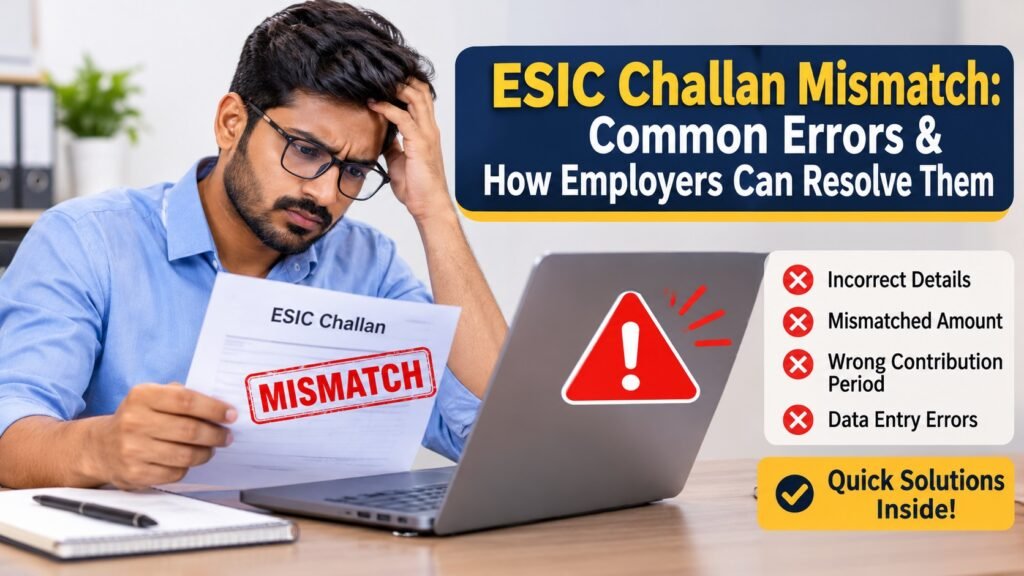
An ESIC challan mismatch occurs when the contribution details submitted by an employer do not match the employee records, contribution amount, or payment details available in the ESIC system. Such mismatches can create problems while reconciling monthly contributions, maintaining employee records, or verifying payment status.
For employers, it is important to identify and resolve challan mismatches promptly to avoid incorrect contribution records, outstanding amounts, or compliance issues.
1.What Is an ESIC Challan Mismatch?
An ESIC challan mismatch generally means there is a difference between the contribution information submitted by the employer and the information reflected in the ESIC records.
For example, a mismatch may occur because of:
- Incorrect employee/IP number
- Wrong wage or contribution amount
- Incorrect number of days worked
- Employee added or omitted incorrectly
- Duplicate employee entries
- Wrong contribution period
- Payment made against an incorrect challan
- Difference between the generated challan and actual payment
- Technical or reconciliation issues on the ESIC portal
ESIC’s contribution system is based on employee-related wage and contribution information submitted by the employer.
2.Common Causes of ESIC Challan Mismatch
- Wrong IP Number
Entering an incorrect ESIC Insurance/IP Number can result in contribution being reflected against the wrong employee.
The employer should carefully verify the employee’s IP number before submitting contribution details.
- Incorrect Wage Details
If the wages entered in the contribution submission are incorrect, the calculated contribution may differ from the employer’s payroll records.
Employers should compare:
- Payroll records
- Salary/wage register
- Employee contribution
- Employer contribution
- ESIC contribution submission
- Wrong Number of Days Worked
Incorrect working days can also create discrepancies in employee contribution records. This is particularly important for employees who joined, resigned, or worked only for part of a contribution period.
- Duplicate Employee Entry
An employee may accidentally be entered more than once while preparing the monthly contribution data. This can result in an incorrect total contribution or duplicate records.
- Incorrect Contribution Period
Selecting the wrong wage/contribution month can cause the challan to appear different from the employer’s payroll records.
Employers should verify the contribution period before generating the challan.
- Challan Amount Does Not Match Records
Sometimes the amount shown in the challan may not match the amount calculated from the employer’s internal payroll records. This should be checked before making payment.
- Payment/Reconciliation Difference
A payment may have been made, but the amount or payment details may not yet be correctly reflected in the employer’s ESIC records. ESIC’s revenue procedures specifically recognize the need to reconcile challan payments with contribution records.
3.How Employers Can Resolve an ESIC Challan Mismatch
Step 1: Identify the Exact Difference
First, compare the ESIC records with the company’s payroll data.
Check:
- Challan number
- Contribution month
- IP number
- Employee name
- Days worked
- Wages
- Employee contribution
- Employer contribution
- Total challan amount
- Payment details
Step 2: Check the Employee-Wise Contribution Data
Identify which employee or employees are responsible for the mismatch. Compare the data submitted to ESIC with the payroll/salary register.
If the problem is an incorrect IP number, wage or employee record, identify the exact incorrect entry before approaching ESIC.
Step 3: Check Whether the Challan Has Already Been Paid
This is an important step.
ESIC’s published challan-deletion procedure states that requests for deletion of challans that have already been paid are not entertained under that procedure. For eligible deletion requests, the published procedure also specifies a short time window after challan generation/submission.
Therefore, employers should verify the challan carefully before making payment.
Step 4: Take Appropriate Correction Action
If the mismatch is due to an error in the submitted contribution details, the employer should follow the applicable ESIC correction process and coordinate with the concerned ESIC office where required.
For certain challan deletion requests, ESIC’s procedure requires details such as the employer’s ESIC code, challan number, contribution month, challan amount and reason for deletion, along with the erroneous and corrected employee-wise data.
Step 5: Contact the Concerned ESIC Office
If the issue cannot be corrected through the employer portal, the employer should contact the concerned ESIC Branch Office/Regional or Sub-Regional Office with supporting records.
ESIC also provides a grievance route through CPGRAMS, where employers can select ESIC and the concerned Regional Office for submitting a complaint.
4.Documents Employers Should Keep Ready
Depending on the nature of the mismatch, employers may need:
- ESIC challan copy
- Payment receipt/bank transaction details
- Employee-wise contribution statement
- Salary/wage register
- Attendance or working-day records
- Employee IP number details
- Payroll calculation
- Corrected contribution details
- Employer authorization letter, where applicable
Keeping these records ready can make reconciliation and correction faster.
5.How to Avoid ESIC Challan Mismatch
Employers can reduce errors by following a monthly verification process:
- Verify every employee’s IP number.
- Match employee names with payroll records.
- Check wages before contribution submission.
- Verify working days for employees who joined or left during the month.
- Check the total contribution before generating the challan.
- Review the challan carefully before payment.
- Maintain challan and payment records for reconciliation.
- Reconcile ESIC records with payroll every month.
6.Final Takeaway
An ESIC challan mismatch should not be ignored because incorrect contribution records can create difficulties during payroll reconciliation and employee record verification.
The best approach is to identify the exact mismatch, compare the ESIC data with payroll records, verify whether the challan has been paid, and follow the appropriate ESIC correction or grievance process.
Employers should also remember that the published ESIC challan-deletion procedure has specific conditions and timelines, and paid challans are not covered by that deletion procedure.
Regular monthly reconciliation is therefore one of the simplest ways to maintain accurate ESIC records and avoid future compliance problems.
Need help with ITR filing or PF withdrawal?
Talk to an Expert →