
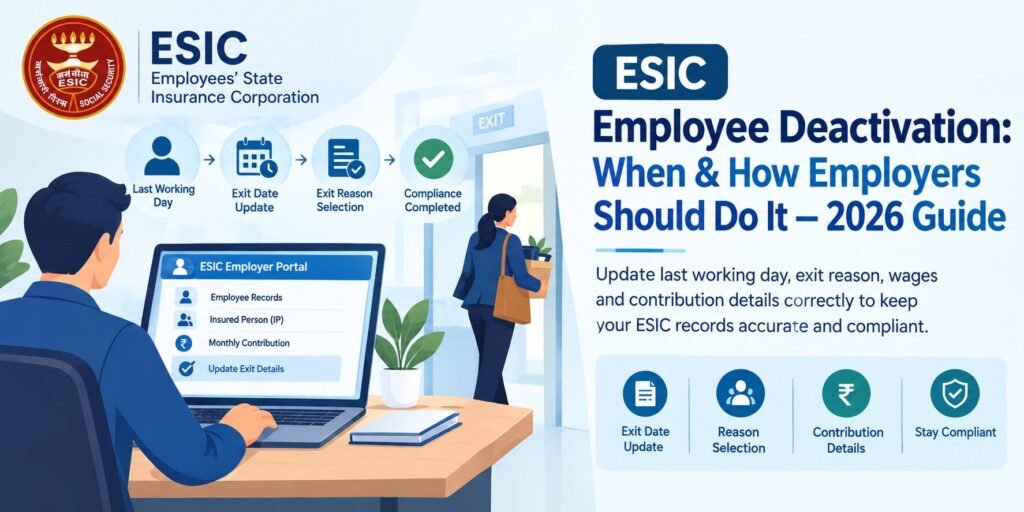
ESIC Employee Deactivation: When & How Employers Should Do It – 2026 Guide
ESIC employee deactivation is an important compliance activity for employers when an insured employee leaves the organisation or is no longer working under the establishment. Employers need to ensure that the employee’s ESIC records and last working/exit details are correctly updated so that the employee does not continue to appear as an active employee for future contribution periods.
The ESIC employer portal provides facilities for managing Insured Person (IP) records, employee registration, employee details and monthly contributions. Employers should therefore keep their ESIC records aligned with their payroll and employment records.
1.What Is ESIC Employee Deactivation?
ESIC employee deactivation refers to updating an employee’s employment status when the employee is no longer working with the employer.
An employee’s ESI Insurance Number (IP Number) is an important identifier and should not be treated as a number that needs to be deleted simply because the employee has left the organisation. Instead, the employer should correctly record the employee’s exit/last working information in the ESIC records.
ESIC’s contribution process specifically provides for recording the Last Working Day and applicable reasons when an employee is no longer working.
2.When Should an Employer Deactivate an ESIC Employee?
An employer may need to update an employee’s exit/deactivation information when the employee:
- Resigns from the organisation
- Is terminated from employment
- Retires
- Is retrenched
- Dies
- Otherwise leaves the establishment and is no longer working for the employer
The reason for leaving should be selected according to the employee’s actual employment circumstances.
ESIC’s Revenue Manual lists reasons including Left Service, Retired, Death and Retrenchment for employees who are no longer receiving wages from the establishment.
3.Why Is ESIC Deactivation Important?
Updating an employee’s exit details is important for maintaining accurate ESIC records.
If an employee who has already left continues to remain in the employer’s active records, it may result in discrepancies between:
- Payroll records
- ESIC employee records
- Monthly contribution records
- Employee’s employment history
- Employer’s compliance records
Correct exit information also helps ensure that the employee does not unnecessarily continue appearing in subsequent monthly contribution records.
According to ESIC’s Revenue Manual, once the relevant leaving-service information is provided, the employee will not appear in the succeeding month’s Form-6 contribution records.
4.ESIC Employee Deactivation Process for Employers
The exact screen layout can change as ESIC updates its portal. However, employers generally need to manage the employee through the Employee/Insured Person and Monthly Contribution functions available after employer login.
Step 1: Login to the ESIC Employer Portal
The authorised employer/user should log in using the establishment’s ESIC employer credentials.
Employers should ensure that they are using the correct establishment account before making changes to employee records.
Step 2: Locate the Employee Record
Go to the employee/insured-person section and identify the employee using the available employee details, such as:
- ESI Insurance Number
- Employee details
- Other information available in the portal
ESIC’s employer portal includes options such as Enroll Employee with previously allotted ESI Number, Register/Enroll New Employee, Update Particulars of Insured Person and List of Employees.
Step 3: Update the Employee’s Exit Information
For an employee who has left the organisation, the employer should ensure that the relevant last working/exit date is correctly recorded.
The date should match the employer’s official employment and payroll records.
Do not enter an estimated or incorrect date simply to remove the employee from the active list.
Step 4: Select the Appropriate Reason
The employer should select the reason that accurately describes why the employee is no longer working.
Depending on the applicable situation, ESIC records provide reasons such as:
- Left Service
- Retired
- Death
- Retrenchment
Other reasons may also be available depending on the contribution circumstances.
Step 5: Submit/Save the Details
After checking the employee’s details, exit date and reason, submit or save the information through the applicable ESIC portal workflow.
Employers should retain supporting payroll/employment records for their internal compliance records.
5.How Does Exit Information Affect Monthly ESIC Contribution?
The employee’s exit information is particularly important during monthly contribution filing.
ESIC’s contribution process includes employee-wise information such as:
- Number of days for which wages were paid/payable
- Total monthly wages
- IP contribution
- Reason where wages/days are zero
- Last working day
Where the employee has left service, the employer can provide the relevant leaving date and reason.
Once the relevant exit information is recorded, the employee should not continue appearing in subsequent contribution records for the establishment in the same manner as an active employee.
6.What If an Employee Leaves in the Middle of the Month?
If an employee leaves during the month, the employer should maintain the employee’s actual last working date and correctly report the wages/days applicable to that contribution period.
For example:
Employee joins: 1 April 2026
Last working day: 18 April 2026
The employer should maintain the actual employment and wage details for April and record the appropriate exit information.
The employee should not simply be treated as having worked for the entire month if the employee actually left earlier.
7.What If the Wrong Exit Date Was Entered?
An incorrect exit date can create discrepancies in the employee’s ESIC employment record.
If the employer discovers an incorrect date or other incorrect information, the employer should use the applicable ESIC correction/update mechanism available on the portal or contact the concerned ESIC office/helpdesk where the portal does not permit the required correction.
Employers should avoid repeatedly submitting incorrect information merely to make the employee disappear from the active list.
8.Common Mistakes Employers Should Avoid
- Entering the wrong last working date
The exit date should be checked against HR and payroll records before submission.
- Deactivating an employee too early
Do not mark an employee as exited while the person is still working for the establishment.
- Selecting the wrong exit reason
The reason should reflect the actual employment situation.
- Ignoring employees who have already left
Leaving exited employees without updating their records can create inconsistencies in subsequent contribution filing.
- Assuming that the ESI Insurance Number should be deleted
The employee’s insurance number is an important ESIC identifier. Leaving employment does not mean that the employee’s historical ESIC identity should simply be erased.
- Not reconciling ESIC with payroll
HR/payroll records and ESIC records should be periodically compared to identify employees who have left but are still appearing as active.
9.ESIC Employee Deactivation Checklist
Before completing an employee’s exit/deactivation process, the employer should verify:
Check | What Employer Should Verify |
Employee | Correct employee/IP record |
Insurance Number | Correct ESI Insurance Number |
Last Working Day | Matches HR/payroll records |
Exit Reason | Correct reason selected |
Monthly Wages | Correct wages reported for the final period |
Contribution | Contribution correctly reported |
Submission | Exit/update successfully submitted |
Records | Supporting employment records retained |
10.What Employers Should Do After Employee Exit
After an employee leaves, employers should also review:
- Final payroll records
- ESIC contribution details
- Employee’s last working date
- Exit/deactivation status
- Pending ESIC corrections
- Any contribution-related discrepancies
Maintaining these records helps the employer keep its ESIC compliance information consistent.
11.Difference Between ESIC Employee Deactivation and ESIC Employee Registration
These are two different activities.
ESIC Employee Registration is performed when an employee who needs to be covered is being enrolled with the establishment.
ESIC Employee Deactivation/Exit Update relates to an employee who is no longer working with that establishment and whose exit information needs to be recorded.
ESIC’s employer portal separately provides employee registration/enrolment and employee-detail management facilities.
12.Can an Employer Correct ESIC Employee Details?
Yes, ESIC provides mechanisms for updating employee/Insured Person information. The available workflow can depend on the type of information that needs to be corrected.
ESIC’s updated documentation also shows an Edit Employee Details Workflow for employee-detail changes.
For an exit-date or deactivation-related issue, employers should first check whether the required correction is available through their employer portal. If the portal does not permit the correction, the employer may need to follow the applicable ESIC support/office process.
Need help with ITR filing or PF withdrawal?
Talk to an Expert →